The free Business Model Canvas template that tells you what to write
Word, PowerPoint, Excel, and fillable PDF. Guiding questions in every block. Download instantly, no account needed.
Works with Microsoft Office and Google Workspace. No watermarks on your work.
Pick your format, download, start
Every file has the 9-block canvas in the classic layout, fill-order numbering from 1 to 9, guiding questions in each block, and the 6 consistency checks professionals run before calling a canvas done.
Word (.docx)
Canvas + 2 pages of block-by-block instructions
PowerPoint (.pptx)
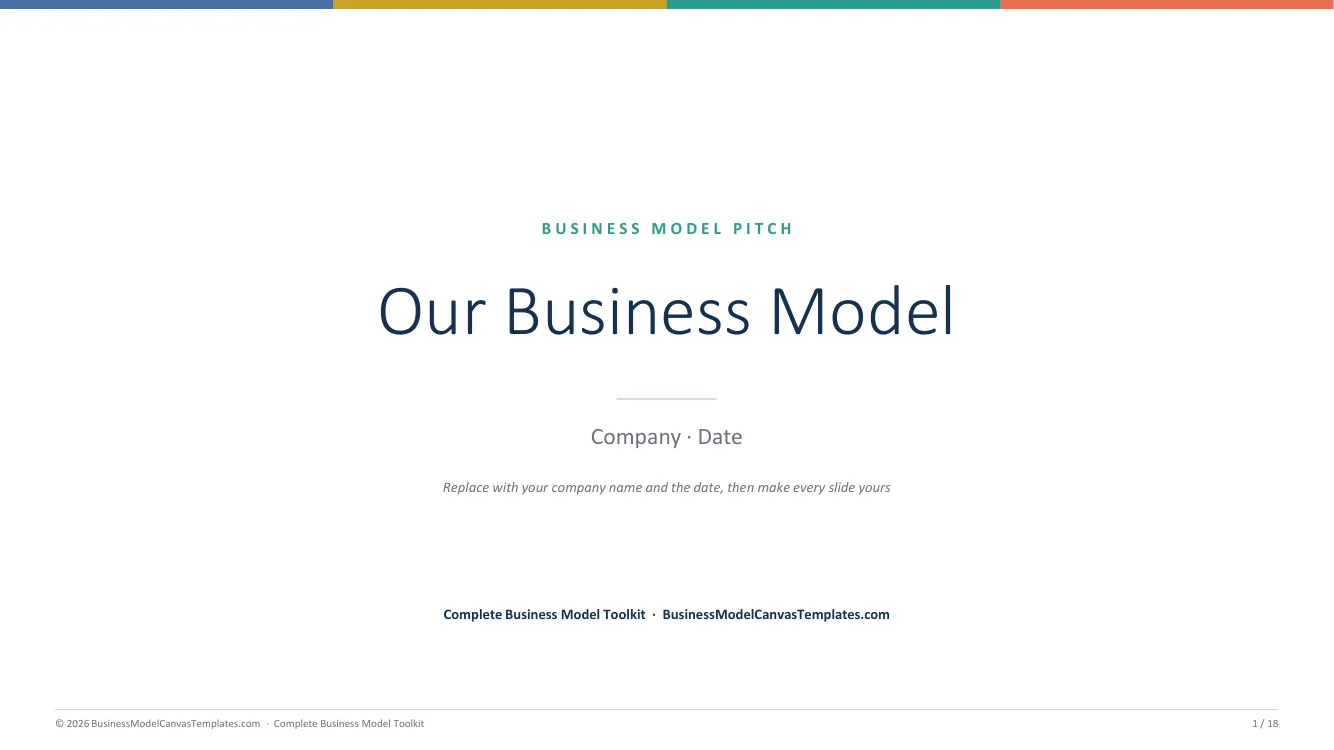
13 slides: full canvas + one guided slide per block
Excel (.xlsx)
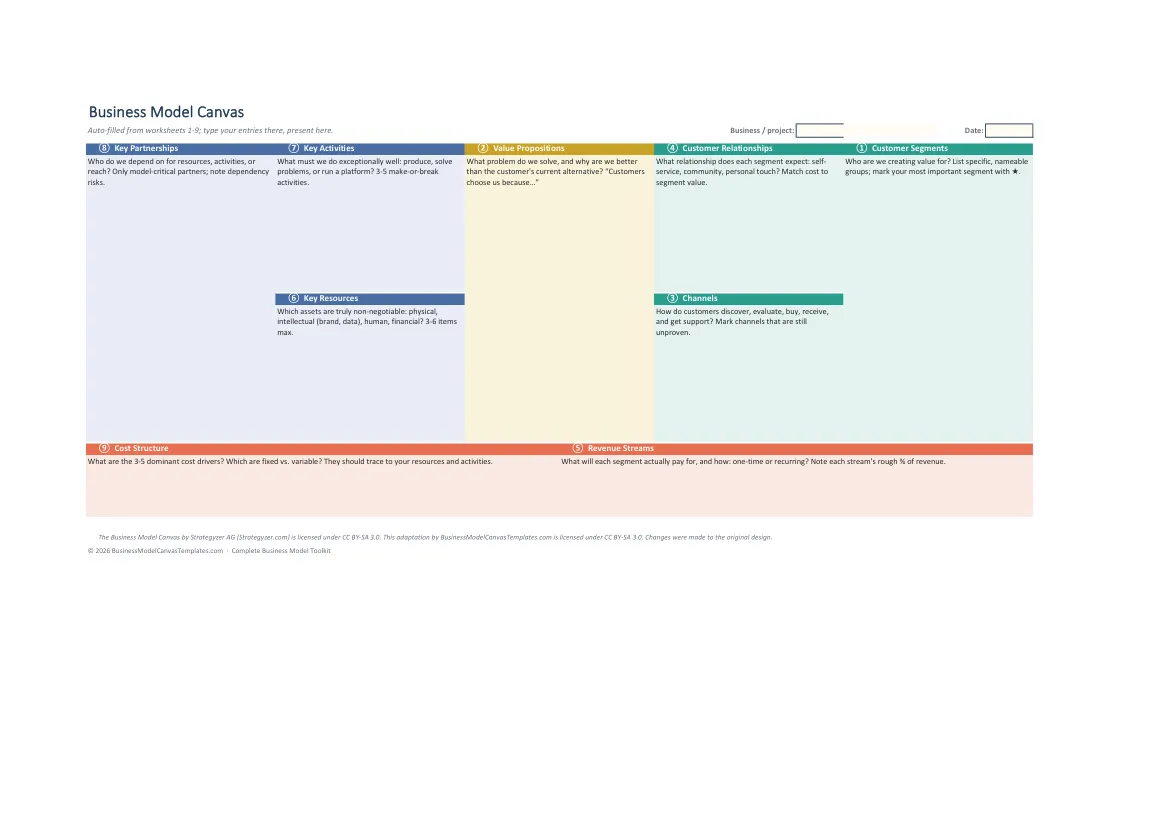
Canvas grid with guidance in every block header
PDF, A4 (fillable)
Fillable form fields, prints on A4
PDF, US Letter (fillable)
Fillable form fields, prints on US Letter
Get all 5 formats in one download
Word, PowerPoint, Excel, and both PDF sizes in a single ZIP. Tell us where to send it.
Instant delivery. No spam, unsubscribe anytime.
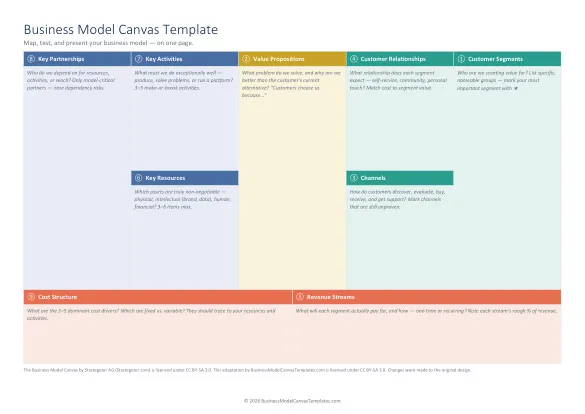
The 9 building blocks, in one view
The circled numbers show the recommended fill order: start with Customer Segments, not Key Partnerships. Click any block for its definition, guiding questions, examples, and the mistakes to avoid. Or read the full guide: What is the Business Model Canvas?
What is the Business Model Canvas?
The Business Model Canvas is a one-page strategic tool that describes how a business creates, delivers, and captures value across nine building blocks. It was designed by Alexander Osterwalder with Yves Pigneur and popularized by the 2010 book Business Model Generation.
The layout is deliberate. The right side (Customer Segments, Value Propositions, Channels, Customer Relationships, Revenue Streams) answers whether anyone wants what you are building. The left side (Key Activities, Key Resources, Key Partnerships) answers whether you can deliver it. The bottom row is the ledger: if Revenue Streams exceed Cost Structure, the model is viable.
Professionals treat the canvas as a hypothesis board, not a plan. Every entry is an assumption to test, which is why a canvas draft takes 30 minutes and a good team workshop takes 2 to 3 hours, not a week.
How to fill it in (the short version)
- Customer Segments: name the specific groups you serve. "SMEs" is not a segment.
- Value Propositions: the problem you solve, in the customer's words. Work this as a pair with segments.
- Channels: how customers discover, evaluate, buy, and receive.
- Customer Relationships: personal, self-serve, or community, per segment.
- Revenue Streams: what each segment actually pays for, and how.
- Key Resources: the assets the model cannot run without.
- Key Activities: the 3 to 5 things you must do exceptionally well.
- Key Partnerships: what you should not build or own yourself.
- Cost Structure: the costs that dominate, traced to resources and activities.
The full walkthrough, with a worked example carried through all nine blocks, is in our guide: How to fill in a Business Model Canvas.
Which business model canvas template should you actually use?
Search for a business model canvas template and three genuinely different things come back wearing the same name. Picking the wrong one costs you an afternoon, so it is worth thirty seconds to tell them apart.
1. A picture of the canvas
Most results that look like a business model canvas template image are exactly that: a PNG or JPG of nine empty boxes. It prints, and that is the whole feature list. You cannot type into it, a co-founder cannot edit it, and dropping it into a deck turns it fuzzy. Fine as a wall poster for a workshop, useless as a working document.
2. A blank editable template
A real file, in Word, PowerPoint, Excel, or a fillable PDF, with nine empty boxes you can type into. This is what most people mean by a blank business model canvas template, and it is a real step up from an image. The trouble arrives about four minutes in, when the cursor is sitting in Key Partnerships and nothing on the page tells you what a good answer looks like. An empty grid does not know anything about your business, so it cannot help you.
3. A guided template
The same editable file, except every block carries the questions a consultant would ask you, the blocks are numbered in the order you should fill them, and the consistency checks are printed right on the file. That is the difference between a template you fill in and a template that improves what you write. It is what we build, and it is why the free download below is not just an empty grid with nice fonts.
Free download, no signup, no watermark
All five single-format files on this page are a genuinely free business model canvas template download. No email address, no account, no trial that expires, and nothing stamped across your work. Take the Word file and never come back if that is all you need. The only thing behind an email address is the convenience bundle: all five formats zipped together in one click.
The files are yours to use commercially. Fill them for paying clients, print them for a class, put the finished canvas in an investor deck. The canvas layout itself is a Creative Commons BY-SA 3.0 adaptation, so the one rule is that the attribution line stays on the file. Everything else, the guiding questions, the fill order, the checks, is our own work, and you are welcome to it.
How this compares to Canva, Miro, and Strategyzer
Those three come up constantly alongside this search, and each solves a different problem. It is worth being honest about where they win.
Canva is the right answer when the canvas needs to look designed, for a pitch deck slide or a printed handout. The cost is that your canvas lives inside Canva. Exporting to an editable Word or Excel file is not really a thing, and free-plan elements can carry their own restrictions.
Miro is the right answer for a live workshop with a distributed team, because sticky notes and simultaneous cursors are genuinely the correct tool for group thinking. The cost is that boards get messy, free boards are limited, and nothing you build there prints cleanly or hands over as a document.
Strategyzer made the canvas, and their software is the most complete implementation of it. It is also priced for teams that use it constantly rather than for one founder sketching a first draft. Our templates are an independent CC BY-SA adaptation of the canvas structure, not the official Strategyzer product, and we are not affiliated with Strategyzer AG or Alexander Osterwalder.
The gap all three leave open is the plain, editable, downloadable file: something that opens in software you already own, works offline, prints on one page, and belongs to you afterwards. That is the space these templates fill. If you want the canvas as a document rather than as a subscription, start with the format you already work in: the business model canvas template for Word, the PowerPoint version for workshops and class decks, the Excel version for a one-page printable grid, or the fillable PDF when you want to type on screen or print for sticky notes. Working in Google Workspace instead? There are import instructions for Google Docs, Sheets, and Slides.
One more branch worth knowing about: if you are pre-product-market-fit and the nine classic blocks feel like the wrong questions, the Lean Canvas template swaps four of them for Problem, Solution, Key Metrics, and Unfair Advantage. Our Lean Canvas vs Business Model Canvas comparison covers which one fits your stage.
When the canvas is full, the questions start
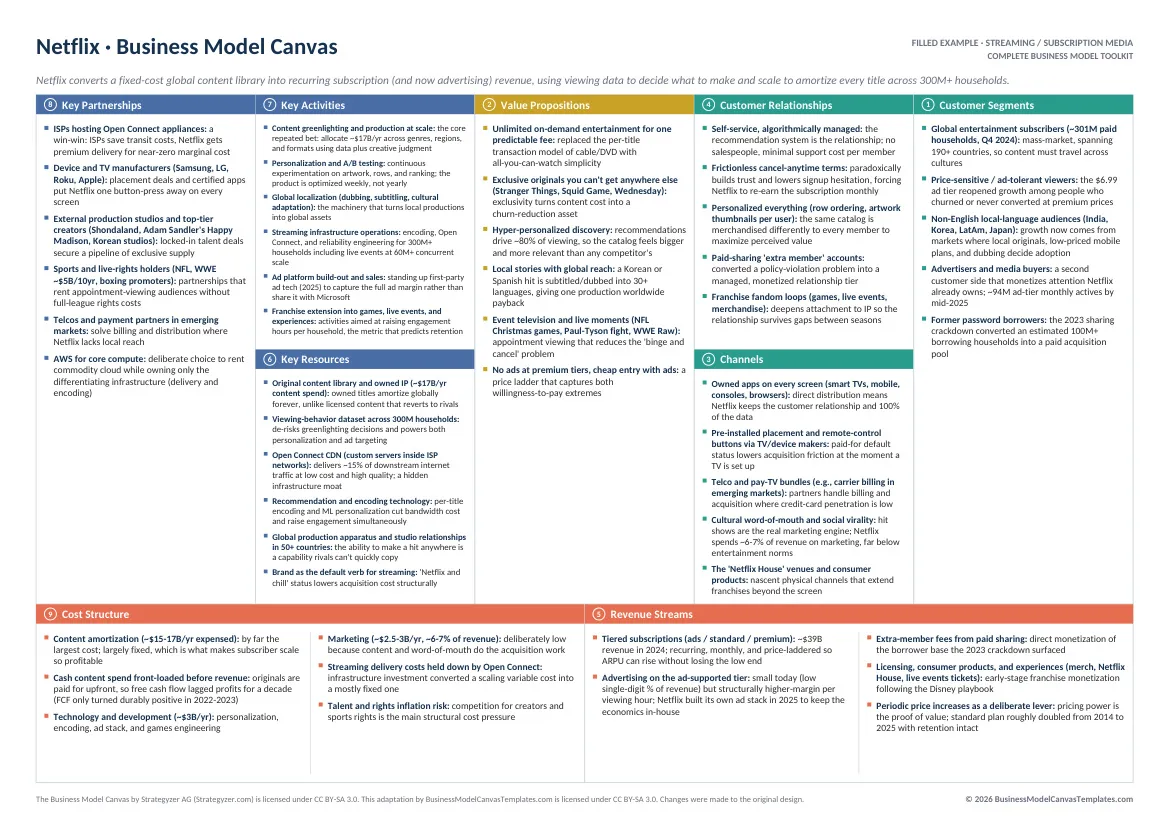
Is the model coherent? What do the numbers say? What would this look like presented to an investor? The Complete Business Model Toolkit is built for that part: a master Excel workbook where the canvas assembles itself and the financial models are already wired, a 25-page guide, pitch decks in two themes, and 10 real-company canvases to learn from.
One-time purchase. Instant download.
Frequently asked questions
What's the best business model canvas template?
Is there a blank business model canvas template I can just fill in?
Are these editable, or just an image of the canvas?
Is the free business model canvas template download really free?
How do I download the business model canvas template?
Which format should I use: Word, PowerPoint, Excel, or PDF?
Where can I see filled-in business model canvas examples?
How is this different from the Canva or Miro business model canvas template?
Is the Business Model Canvas free to use?
Do these templates work in Google Docs, Sheets, and Slides?
How do I fill in a business model canvas?
Is this the official Strategyzer business model canvas template?
What do I get in the free download versus the paid toolkit?
Every format, one page each
By The BMC Templates TeamLast updated