Business Model Canvas template for Google Sheets
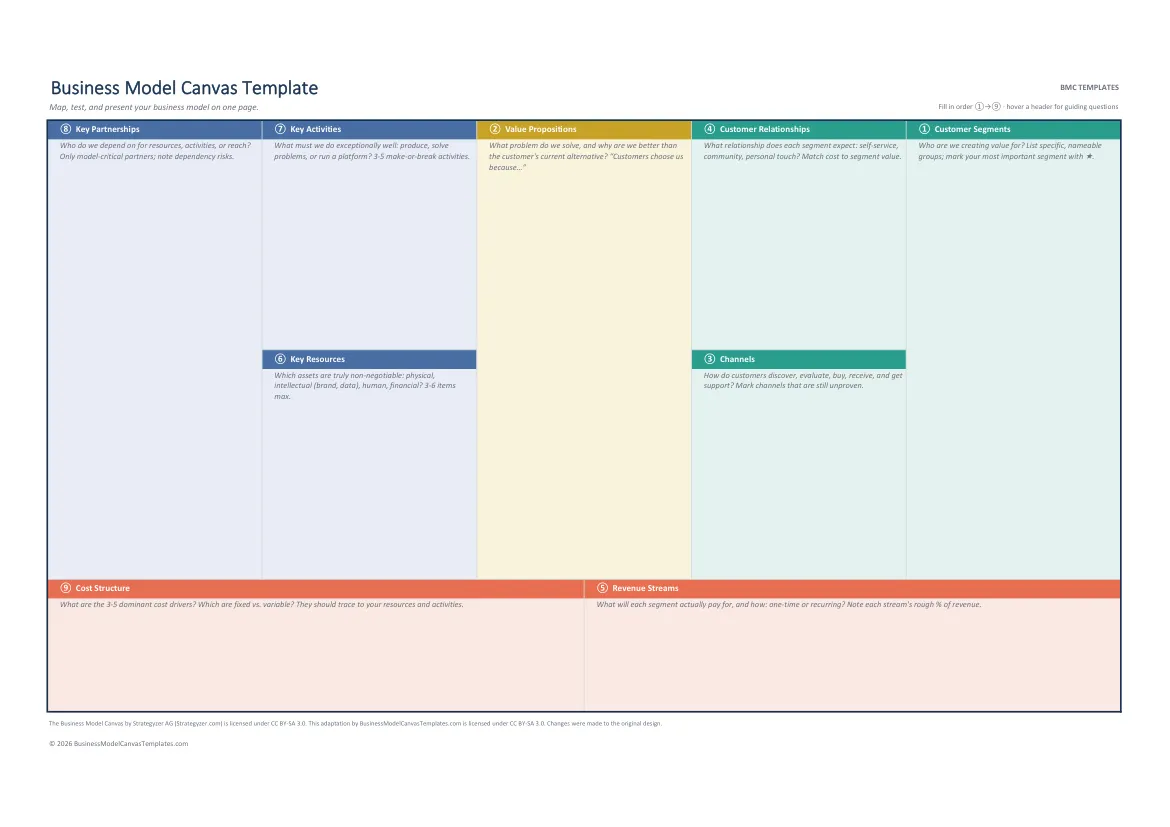
Our Excel canvas imports into Sheets in two clicks: structured grid, guidance included, co-editing on.
Free, instant, no signup. Sheets import instructions are right below.
By The BMC Templates TeamLast updated
What's inside this file
- Same file as our Excel template: structured 9-block grid
- No XLOOKUP, no macros: built for a clean Google Sheets import
- Guidance notes in every block header survive the conversion
- Real-time co-editing and cell comments once imported
- Preset print area: one landscape page, A4 or US Letter
Get the canvas into Google Sheets (60 seconds)
- Download the free .xlsx above.
- Drag it into drive.google.com.
- Double-click it, then choose Open with Google Sheets.
- Optional: File, Save as Google Sheets for a native spreadsheet.
Why Sheets is a quietly excellent canvas tool
Cells enforce the method: one idea per line, short entries, no paragraphs. Duplicating the tab gives you one canvas per customer segment in two clicks, which is how professionals handle multi-segment models instead of averaging five audiences into one grid. And unlike whiteboard tools, the file exports back to Excel anytime, so the work is never locked to a platform.
Team workflow that works
Share with edit rights, fill in the numbered order starting at Customer Segments, and use cell comments for evidence: "3 customer interviews" reads very differently from "we think so". When the model stabilizes, print the preset one-page area for the wall, or step up to the Complete Toolkit when the revenue and cost blocks need to become actual projections.
Quick reference: the 9 blocks and their fill order
Get all 5 formats in one download
Word, PowerPoint, Excel, and both PDF sizes in a single ZIP. Tell us where to send it.
Instant delivery. No spam, unsubscribe anytime.
Free template vs the Complete Toolkit
| What you get | Free templates | Complete Toolkit ($39) |
|---|---|---|
| The 9-block canvas, professionally designed | Yes, in 5 formats | Yes, plus a canvas that assembles itself in Excel |
| Guiding questions in every block | Yes | Yes, plus dropdowns and Fact / Assumption / Idea status |
| Real-company examples | No | 10 complete canvases: PDF + editable PowerPoint |
| Revenue, break-even, and unit-economics models | No | Yes, formulas built in (MRR, CAC, LTV, payback) |
| Guided workbook | 2 pages of instructions | 25-page consultant-style field manual |
| Pitch deck | No | Light + dark themes with a presenting guide |
| Lean Canvas, SWOT, Value Proposition Fit | No | All three, editable |
One-time purchase. Works in Microsoft Office and Google Workspace. Instant download through Lemon Squeezy.
Get the Complete Toolkit