Business Model Canvas template for Google Docs
Our Word canvas imports into Google Docs in two clicks, layout intact, team editing on.
Free, instant, no signup. Import instructions for Google Docs are right below.
By The BMC Templates TeamLast updated
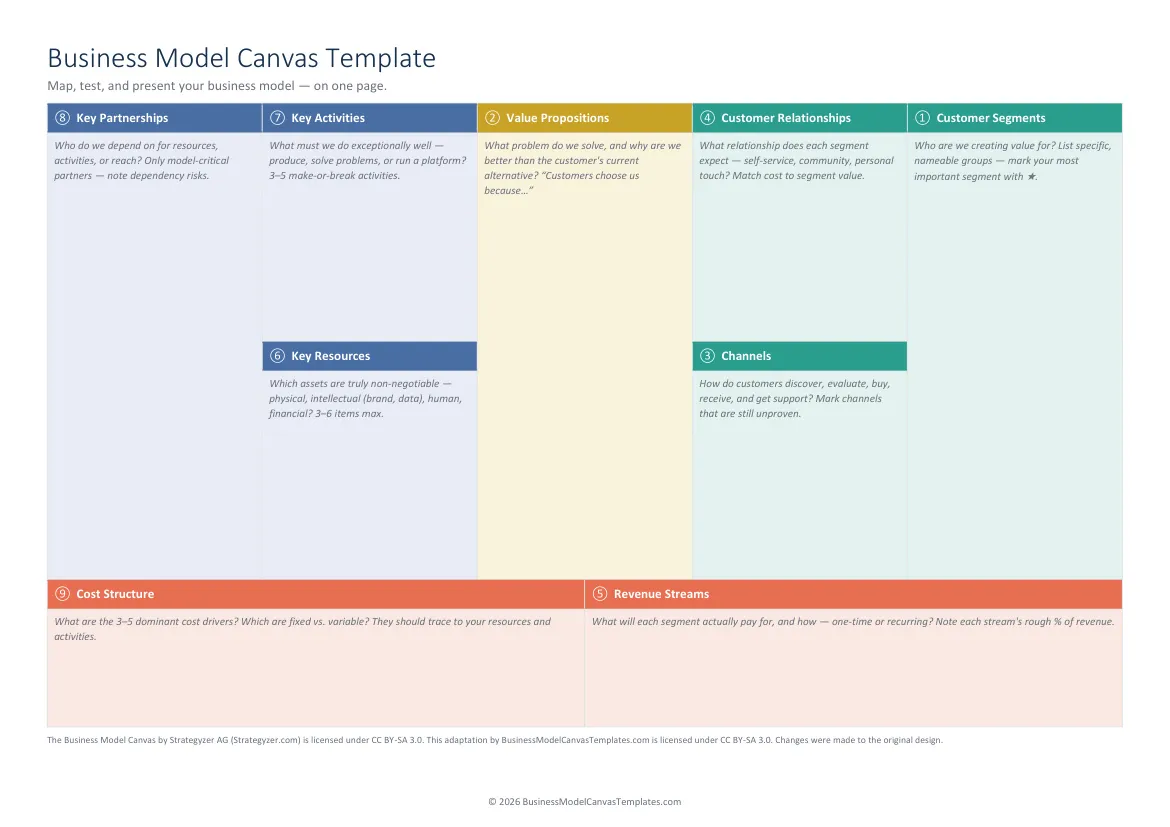
What's inside this file
- Same file as our Word template: canvas + 2 instruction pages
- Plain table layout and standard fonts: clean Google Docs import
- Real-time co-editing, comments, and suggestion mode once imported
- Guiding questions and fill-order numbering in every block
- No add-ons, no permissions, no template-gallery account needed
Get the canvas into Google Docs (60 seconds)
- Download the free .docx above.
- Go to drive.google.com and drag the file in (or New, File upload).
- Double-click the uploaded file, then choose Open with Google Docs.
- Optional: File, Save as Google Docs to get a native Doc for team editing.
Why we ship a .docx instead of a Docs-only link
A downloadable file is yours: no template gallery, no forced account, and it doubles as the offline Word version when you need it. Google's conversion of plain-table documents is lossless in practice, so you get both formats from one file.
Working the canvas as a team in Docs
Share the Doc with editing rights, and put one rule in the header: one bullet, one idea. Use suggestion mode when someone challenges an entry, and comments to attach evidence to claims. Fill in the numbered order, starting at Customer Segments; the two instruction pages after the canvas keep the method in the same document as the work. When the discussion needs numbers instead of words, that is the handoff to the Sheets version or, for real financial modeling, the Complete Toolkit.
Quick reference: the 9 blocks and their fill order
Get all 5 formats in one download
Word, PowerPoint, Excel, and both PDF sizes in a single ZIP. Tell us where to send it.
Instant delivery. No spam, unsubscribe anytime.
Free template vs the Complete Toolkit
| What you get | Free templates | Complete Toolkit ($39) |
|---|---|---|
| The 9-block canvas, professionally designed | Yes, in 5 formats | Yes, plus a canvas that assembles itself in Excel |
| Guiding questions in every block | Yes | Yes, plus dropdowns and Fact / Assumption / Idea status |
| Real-company examples | No | 10 complete canvases: PDF + editable PowerPoint |
| Revenue, break-even, and unit-economics models | No | Yes, formulas built in (MRR, CAC, LTV, payback) |
| Guided workbook | 2 pages of instructions | 25-page consultant-style field manual |
| Pitch deck | No | Light + dark themes with a presenting guide |
| Lean Canvas, SWOT, Value Proposition Fit | No | All three, editable |
One-time purchase. Works in Microsoft Office and Google Workspace. Instant download through Lemon Squeezy.
Get the Complete Toolkit