Business Model Canvas template for Excel
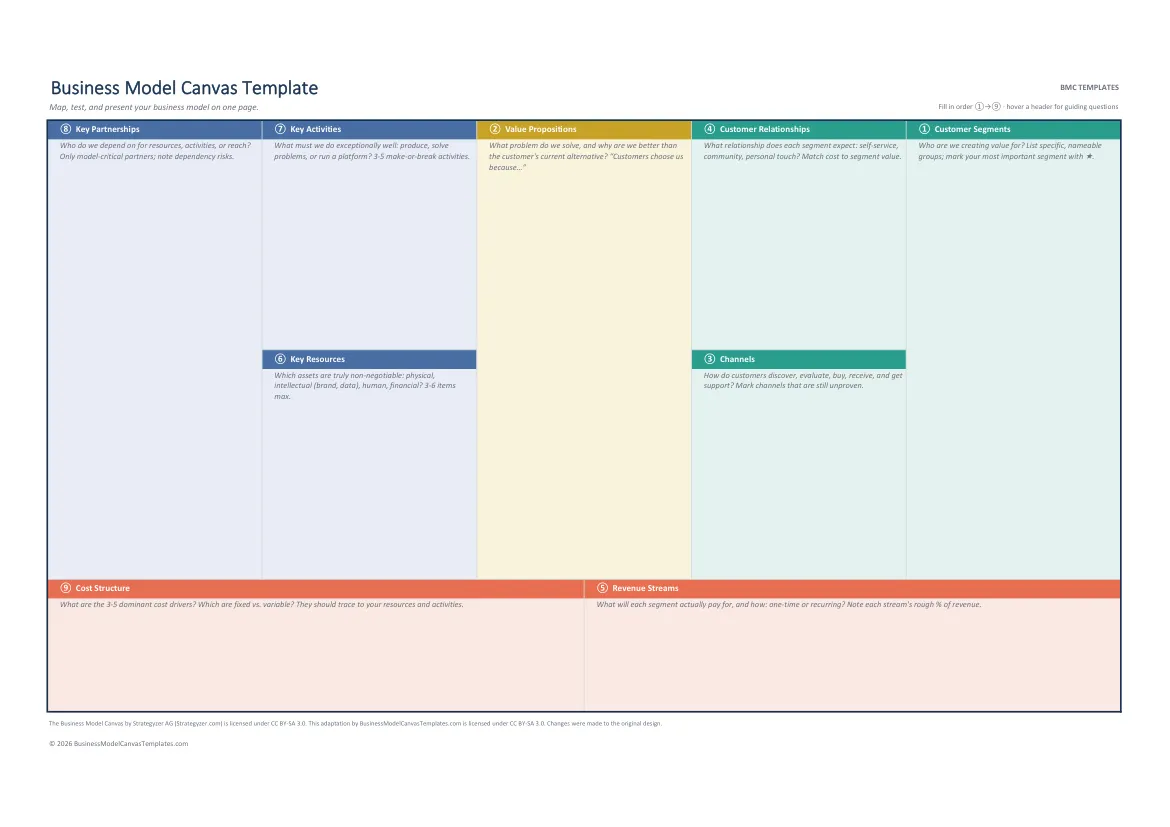
A structured canvas grid with guidance in every block header. Prints as a one-page poster.
Free .xlsx, instant download, no signup. Works in Excel, LibreOffice, and Google Sheets.
By The BMC Templates TeamLast updated
What's inside this file
- The 9-block canvas as a structured grid, one cell group per block
- Guidance notes in every block header: definition plus key questions
- Fill-order numbering 1 to 9 built into the block titles
- Print area preset: one landscape page at A4 or US Letter
- No macros, no XLOOKUP: imports cleanly into Google Sheets
- Duplicate the sheet for one-canvas-per-segment comparisons
Why spreadsheet people fill better canvases
Excel forces the discipline the canvas method actually asks for: one idea per cell, short entries, visible structure. A Word canvas can quietly rot into paragraphs; a spreadsheet canvas cannot. If your thinking already lives in rows and columns, this is your format.
The template is a real worksheet, not a screenshot of a canvas pasted into Excel. Each block is a bordered cell group with its definition and guiding questions in the header, zone-colored the way professionals color-code: customer side, offer, infrastructure, finance.
How to use the template in Excel
1. Fill in the numbered order
The block titles carry their fill order. Start at block 1, Customer Segments, and work the sequence: the customer side first, then Revenue Streams, then infrastructure, ending at Cost Structure. Left-to-right filling is the single most common canvas mistake.
2. One entry per line, three to six per block
Use Alt+Enter for line breaks inside a block. If a block wants ten entries, you are averaging multiple customer segments into one canvas; duplicate the sheet and give each major segment its own copy instead.
3. Use comments for evidence
Right-click an entry, add a comment, and note the evidence behind it (or "assumption, untested"). Reviewers and co-founders can then challenge the weakest cells precisely instead of arguing about the whole model.
4. Print it and put it on a wall
The print area is preset to one landscape page. Print A4 for handouts or have a print shop enlarge to A2 for a sticky-note wall session. A canvas nobody looks at weekly is a museum piece.
Where Excel canvases hit their ceiling
Sooner or later the canvas raises money questions the grid cannot answer: what does this revenue stream produce in month 12, where is break-even, do unit economics work? A canvas template, free or paid, is the wrong tool for that. That bridge from canvas to numbers is exactly what the Complete Toolkit's master workbook is built for, with the models pre-wired and sample data you overwrite with your own.
Excel vs the other formats
Choose Excel for structure and one-page printing. Choose Word when the canvas is part of a written document, PowerPoint for group sessions and presenting, and the fillable PDF when you want zero software friction. For Google-first teams, the Google Sheets version of this page walks the import.
Quick reference: the 9 blocks and their fill order
Get all 5 formats in one download
Word, PowerPoint, Excel, and both PDF sizes in a single ZIP. Tell us where to send it.
Instant delivery. No spam, unsubscribe anytime.
Free template vs the Complete Toolkit
| What you get | Free templates | Complete Toolkit ($39) |
|---|---|---|
| The 9-block canvas, professionally designed | Yes, in 5 formats | Yes, plus a canvas that assembles itself in Excel |
| Guiding questions in every block | Yes | Yes, plus dropdowns and Fact / Assumption / Idea status |
| Real-company examples | No | 10 complete canvases: PDF + editable PowerPoint |
| Revenue, break-even, and unit-economics models | No | Yes, formulas built in (MRR, CAC, LTV, payback) |
| Guided workbook | 2 pages of instructions | 25-page consultant-style field manual |
| Pitch deck | No | Light + dark themes with a presenting guide |
| Lean Canvas, SWOT, Value Proposition Fit | No | All three, editable |
One-time purchase. Works in Microsoft Office and Google Workspace. Instant download through Lemon Squeezy.
Get the Complete Toolkit